Reflected Color and Shadows
One important aspect of color correction is understanding reflected color—color that is reflected from a brightly colored object onto a more neutral color. This can occur almost anywhere, but it is most common in shadows on a clear day. Because shadows are not directly illuminated by the Sun, they are lit by reflected light from the sky. Since the sky is “blue” (in photographic terms, it is a mix of cyan and blue), the shadows take on a sky-blue cast. This is usually hard to see unless the subject is mostly neutral. In this example below, Half Dome in Yosemite National Park is made of fairly neutral gray granite. The blue shadows are quite obvious.
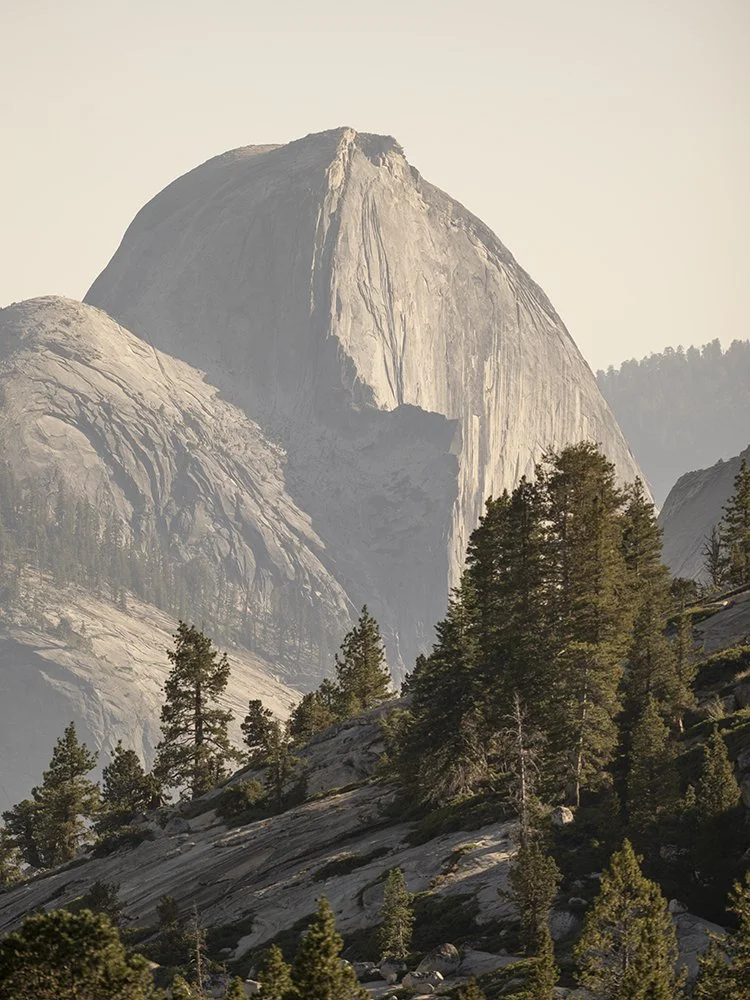
Black Point Set in Normal Mode in Black Point Curves Layer

Black Point Set in Luminosity Mode in Black Point Curves Layer
These images compare neutralizing the color in the shadows (first photo) with properly setting the Black Point without neutralizing the shadow color (second photo). I have exaggerated the effect for this example. In the first example, the Black Point was set in Normal Mode for the Black Point Curves Layer. The second example shows the effect when using Luminosity Mode for the Black Point Curves Layer. Luminosity Mode adjusts only the L* channel in the L*a*b* color space, leaving the color as undisturbed as possible. This is why I typically set my Black Point using Luminosity Mode. If you are photographing in a studio or other setting where there is little chance of color being reflected into the shadows, you can set the Black Point in Normal Mode.